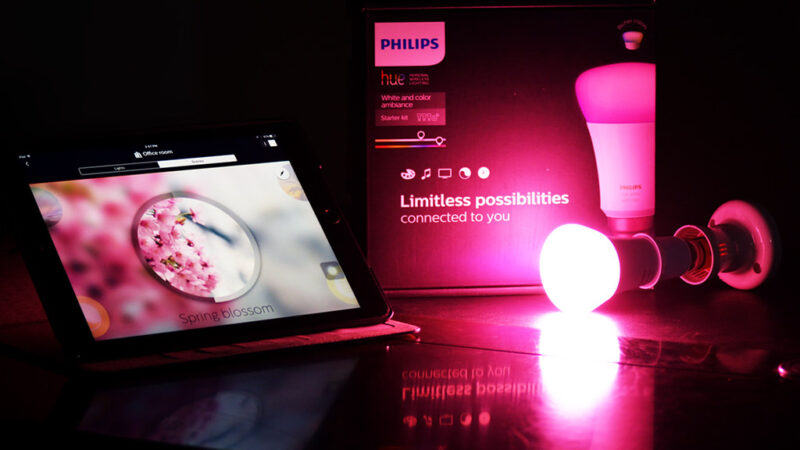
Smart Home Lighting Scenes: How to Set the Perfect Mood in Every Room
One of the most powerful features of a smart lighting system is the ability to create lighting scenes. A scene is a preset configuration of brightness levels, colors, and on-off states for multiple lights across a room or your entire home. With a single tap, voice command, or schedule, you can transform the atmosphere of any space. Here is how to design and use lighting scenes to enhance every part of your daily life.

The first step in creating great scenes is understanding the zones in your home. A zone can be a single room or a group of lights within a room. Most smart lighting apps let you create rooms and assign bulbs to them. For example, your living room might include overhead lights, floor lamps, table lamps, and accent lighting behind the TV. Grouping these into one room lets you control them together in a scene. Some apps also support zones within rooms, letting you control just the reading nook or the dining area independently.
A well-designed lighting scene considers both brightness and color temperature. Research in human-centric lighting shows that cool blue-white light improves focus and alertness, while warm yellow-orange light promotes relaxation and prepares the body for sleep. Your morning scene might use bright cool light throughout the kitchen and bathroom to help you wake up. Your evening scene might use dim warm light in the living room to wind down. Your bedtime scene could turn off all lights except a soft warm nightlight in the hallway.
For entertainment purposes, scenes can dramatically enhance movies, games, and music. A movie scene could dim the overhead lights to ten percent while setting bias lighting behind the TV to a soft blue. A gaming scene might sync your lights with on-screen action using apps like Hue Sync or Lifx Beam. A party scene could set the entire room to pulsing vibrant colors that respond to music. Most major smart lighting platforms support music sync or entertainment zones that adjust lighting in real time to match what is on your screen.
Practical scenes can also improve your daily routines. A Good Morning scene slowly brightens the lights in your bedroom over fifteen minutes, simulating a natural sunrise. An Away scene can randomly turn lights on and off while you are on vacation to deter burglars. A Reading scene focuses bright light on your favorite armchair while dimming the rest of the room. A Cooking scene ensures bright task lighting over the countertops while keeping ambient lighting soft. These scenes become habits that make your home more comfortable and functional without thinking about each light individually.
Most smart lighting platforms allow you to trigger scenes automatically based on schedules, sensors, or device states. You can set your Good Morning scene to activate at sunrise every day. A motion sensor in the hallway can trigger a Nightlight scene between sunset and sunrise. Arriving home can trigger a Welcome scene that lights the entryway and living room. These automations are where smart lighting truly shines, adapting to your life without requiring manual input.
When designing scenes, it is important to test different settings and iterate. Start with a few basic scenes for each room: one bright and functional, one relaxed and warm, one dark and cozy. Experiment with different light colors and brightness levels until each scene feels right. Many apps let you save and rename scenes, so do not be afraid to create variations. Share scene control with household members so everyone can enjoy the benefits. With thoughtful scene design, your smart lighting system becomes an intuitive extension of your home that responds to your needs at every moment.